Here are the commonly asked question on Remote Patient Monitoring, CCM, DMP, RPM Billing and RPM related questions
Longer-form articles on specific clinical strategy, billing, and implementation topics. Each post is a dedicated deep-dive — click to read the full piece.
Quick answers to the questions we hear most often. Click any question to expand.
Foundational questions about what RPM is and how it works
Remote Patient Monitoring, also called remote physiologic monitoring, uses electronic equipment and digital technologies to gather health data from patients and send it to healthcare providers for diagnosis, assessment, and recommendations.
A typical example: a patient checks their blood pressure at home using a connected device, and the reading is sent digitally to their clinician. Providers use RPM to monitor, report, and analyze acute or chronic conditions outside of a hospital or clinic setting.
Patient takes a reading at home → data transmits automatically to the provider’s dashboard → clinicians review, get alerts for abnormal readings, and intervene as needed.
With DrKumo, the workflow looks like this:
Telehealth generally refers to live virtual encounters between a clinician and a patient — video visits, phone consultations, or messaging. Remote Patient Monitoring is the ongoing collection, transmission, and clinical review of physiologic data (like blood pressure or glucose) from the patient’s home between visits.
They are complementary. A telehealth visit happens at a moment in time; RPM runs continuously in the background. DrKumo’s platform combines both continuous monitoring plus the ability for clinicians to intervene through telehealth when the data shows something needs attention.
Better chronic disease management for patients, new revenue and efficiency for providers, and lower costs for the healthcare system.
For providers: improved productivity, new revenue streams, enhanced patient engagement and satisfaction, increased access to care, and reduced patient no-show rates.
For patients: better chronic disease management, fewer emergencies and hospitalizations, more control over personal health, fewer office visits, and higher quality of care.
For the healthcare system: stronger focus on prevention, lower national healthcare costs, and significant annual savings.
DrKumo’s platform supports evidence-based Disease Management Protocols for Diabetes, Hypertension, COPD, and Heart Failure, with additional protocols available. RPM can also be applied to post-surgical recovery, weight management, and other conditions where a clinician benefits from seeing physiologic data between visits.
Under CMS rules, the patient does not strictly need a chronic condition, but they must have an illness or injury where remote monitoring is medically reasonable and necessary.
Hardware, connectivity, and how the platform gets data from home to the care team
Blood pressure monitors, glucose meters, pulse oximeters, weight scales, military-grade smartwatches, and thermometers.
DrKumo devices are designed for ease of use. They automatically transmit patient health data via cellular connectivity without needing an app. This matters for older adults, patients with low digital literacy, and rural communities where home Wi-Fi may be unreliable or unavailable.
CMS requires that RPM services use devices meeting the FDA’s definition of a medical device under the Food, Drug, and Cosmetic Act. The device must digitally transmit patient physiologic data — it cannot be self-recorded or manually entered by the patient.
Continuous monitoring is the live monitoring of patient data from the healthcare provider’s web console, allowing real-time insights through visualizations and analytics. With DrKumo’s platform, doctors can intervene in a timely manner, preventing health deterioration that can lead to hospitalization or readmission.
DrKumo integrates AI and ML-driven analytics to identify trends, predict health risks, and support early intervention in chronic disease management. This analysis layers on top of continuous data streaming from connected devices.
Who can receive RPM services under CMS rules
Per CMS 2021 guidance, patients do not need to have a chronic condition to qualify for RPM, but they do need to:
The patient must have an illness or injury that warrants remote monitoring, not necessarily a chronic disease.
Per CMS guidelines, RPM services can only be provided to established patients. A patient who has not been seen within the last year would typically need a face-to-face visit with the billing practitioner before RPM can be initiated.
Per CMS, only one practitioner can bill for RPM services for a patient within a 30-day period. This is true even if multiple RPM devices are used or multiple providers are involved in the patient’s care. Claims can only be submitted after at least 16 days of data have been collected.
DrKumo is fully compatible with the needs of Federally Qualified Health Centers and Rural Health Clinics, providing comprehensive remote monitoring to support high-quality care in underserved areas. FQHCs and RHCs can bill through HCPCS code G0511 for remote care management services, which includes RPM.
RPM devices are designed for home use to monitor chronic conditions. In hospitals, patients are monitored with specialized inpatient equipment, making RPM redundant.
CPT codes, the 16-day rule, and how Medicare pays for RPM
RPM services are covered by Medicare and other healthcare programs. Providers can bill Medicare using CPT codes for setup and ongoing monitoring, primarily CPT 99453, 99454, 99457, and 99091. FQHCs and RHCs can bill through HCPCS code G0511 for remote care management services.
99453 (setup), 99454 (device supply), 99457 (first 20 min of monitoring), 99458 (each additional 20 min), and 99091 (data interpretation).
Yes, concurrently, but minutes cannot be double-counted between programs, and each must meet its own billing requirements.
Physicians and non-physician practitioners (NPPs) eligible to bill Medicare for E/M services can order and bill RPM. Clinical staff can furnish the services under general supervision.
Yes. DrKumo provides a monthly billing report and one-on-one billing assistance.
How patient data is protected and which standards DrKumo meets
Yes. DrKumo’s platform adheres to HIPAA, NIST and NCCoE Cybersecurity Frameworks, FIPS 140-3, and VA Directive 6500.
The NIST and NCCoE Cybersecurity Frameworks, covering the five core functions: Identify, Protect, Detect, Respond, and Recover.
Patient consent, device setup, ongoing interactions, care plan, patient progress, interventions, and training.
No. DrKumo focuses on preventing emergencies through consistent monitoring, not on responding to them.
What setup looks like, what makes DrKumo different, and how to begin
About 20 minutes, via phone or your preferred telecom platform.
Through the DrKumo Provider Dashboard Web Viewer, with just a few clicks per patient.
DrKumo’s clinical support team calls the patient and escalates critical cases to the provider’s office.
Physicians, qualified healthcare professionals (QHCPs), and clinical staff under the general supervision of a billing provider.
DrKumo is a leader in secure, intelligent digital health solutions for chronic care. Distinguishing features include:
DrKumo offers a no-cost turnkey deployment. The clinical operations team and partners handle the entire implementation, so practices don’t need to allocate time and resources to set up the program from scratch. DrKumo also offers a free 30-45 minute consultation with an RPM expert to discuss your program’s needs.
Book a free 30–45 minute consultation with a DrKumo RPM specialist. We’ll walk through your practice’s setup, payer mix, and what an RPM program could look like for your patients.
Lorem ipsum dolor sit amet, consectetur adipiscing elit. Ut elit tellus, luctus nec ullamcorper mattis, pulvinar dapibus leo.
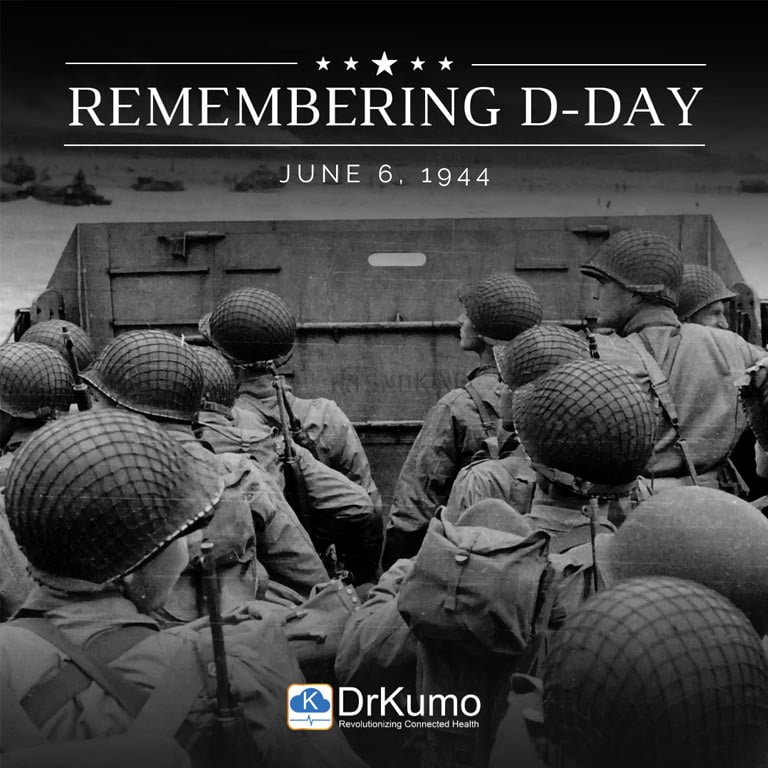
Memorial Day: A Day of Gratitude and Honor
Today, we pause to remember and express our heartfelt gratitude to our Veterans. Their service to our nation is beyond compare, and their loved ones’ sacrifices are immeasurable. We recall the words of Ronald Reagan, “Their lives remind us that freedom is not bought cheaply. It has a cost; it imposes a burden.” We take immense pride in having the privilege of serving you, and on this day, we salute you. Thank you, Veterans, and their families for your service and sacrifices.
Get a free 30-45 minutes consultation with one of our DrKumo RPM experts to learn everything you need to know about Remote Patient Monitoring and how you can make your RPM program successful.
To start please fill out the form and we will get in touch with you shortly.